Table of Contents
How to upload document on personal loan app
By PocketMitra | Jan 20, 2026
Introduction
Applying for a loan is no longer the tedious task of standing in queues and submitting bulky files. Today, you can upload document on personal loan app within minutes, and the entire process of verification can be completed digitally. Whether you are seeking urgent funds or planned credit, knowledge of the document process can make the loan application process faster and smoother for you.
What Is a Personal Loan App?
A personal loan app is a mobile application that allows users to borrow money through their mobile devices. From application to approval and disbursement, everything is done online. In fact, if you search for "personal loan apply online" on Google, the first results that come up are usually these online loan applications, which provide a secure, paperless, and hassle-free borrowing experience without having to visit a branch.
List of Documents Required for Personal Loan Apps
When applying through a personal loan app, the process of providing documents is simple. This is because most of the platforms have streamlined requirements to ensure quicker approval times, especially for borrowers who are seeking small ticket loans such as a 20000 Personal Loan or even an option for an Instant Loan 10000 Rupees.
Common Documents Required
While the requirements may differ slightly for each app, the majority of them demand similar personal loan documents.
- Identity Proof: In this case, you may have to upload your Aadhaar card, PAN card, passport, voter ID, among other documents. This helps the lender verify your identity and adhere to KYC requirements.
- Address Proof: In case your identity proof does not have your residential address mentioned clearly, you may have to upload other documents to prove your address.
- Income Proof: For salaried persons, salary slips for recent months may be submitted, whereas for self-employed persons, bank statements or income tax returns may be submitted. Accurate information regarding income helps in building greater credibility and facilitates personal loan instant approval, depending on eligibility.
- Photograph or Selfie: Most instant loan apps require users to upload a live selfie for verification to prevent fraudulent activities.
- Bank Account Details: Some instant loan apps may require users to upload recent bank statements for assessment and to facilitate instant approval.
Tips to Make the Documentation Process Easy
Prepping a little before you begin the process of uploading can save you from a whole lot of rejections, re-uploads, and unnecessary delays. Here are a few simple checks that make the process much easier:
- Ensure that the images of the documents are clear and not cropped.
- Avoid reflections on laminated cards such as Aadhaar or PAN.
- Ensure that you have a stable internet connection while uploading the files to avoid any issues.
- Verify that your name, date of birth, etc., match in all the documents.
- Save scanned copies in formats such as JPG or PDF before starting the process.
- If you are planning to apply for an instant personal loan, ensure that you have your bank details and other KYC documents ready in advance.
Prepping in advance can save you from unnecessary delays and improve your chances of approval.
Using Pocket Mitra for a Smoother Application Experience
If you are looking for a simple and guided borrowing experience, Pocket Mitra provides an easy-to-follow interface to complete your loan request. This platform is developed to provide speed, transparency, and minimal documentation to facilitate urgent financial requirements.
Step-by-Step Application Process
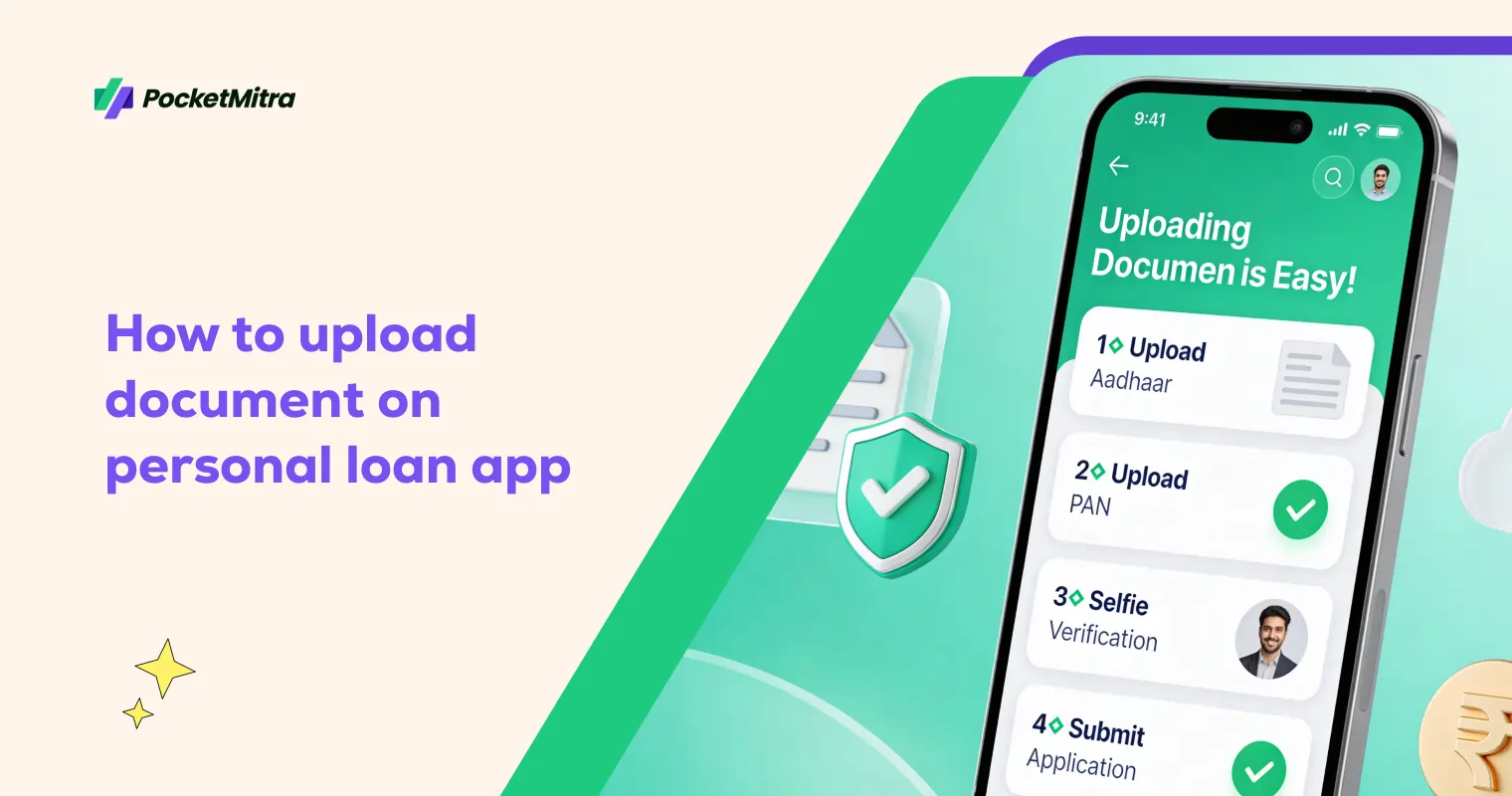
- Download the Pocket Mitra personal loan app from the app store.
- Register on the app using your mobile number and verify it.
- Fill in your basic information like name, employment type, and income information.
- Select the loan amount and loan period.
- Upload personal loan documents via your phone camera.
- Complete the live selfie verification process.
- Send the application loan request for review.
Eligible customers can get their personal loan approved instantly. Whether you are in need of funds for emergency situations or for other short-term requirements, the process remains the same. Many people prefer to use this platform when they apply for instant personal loan due to its quick turnaround time and easy digital onboarding.
Common Errors While Uploading Documents
Even small mistakes during the upload of documents may cause a delay or may result in the rejection of the application. Following are some common mistakes that a borrower must avoid:
- Uploading documents which are not clearly visible.
- Uploading images which are cropped and do not display the edges.
- Taking images with shadows and reflection on the surface of the documents.
- Having a mismatch between the personal details on the PAN card and Aadhar card.
- Uploading expired documents or bank statements which are not updated.
- Uploading screenshots instead of scanning the documents properly.
While using any instant loan app, one must always check the documents uploaded properly before submitting the application.
Conclusion
It is essential to know the process of uploading documents to make borrowing simple and hassle-free. With proper knowledge and preparation, the process of online verification is quick and hassle-free. Pocket Mitra provides a smooth experience in the loan process. By following the process meticulously, you can finish your loan process in a few minutes.
FAQs
What documents are required to upload on a personal loan app?
The common personal loan documents that need to be uploaded are Aadhaar, PAN, address proof, bank statements, and income proof. In a few cases, a selfie is also required for verification.
How do I upload documents on a personal loan app step by step?
To upload the documents, the user has to log in to the app, provide the required information, and then choose the option to upload the documents.
Why is my document upload failing on a personal loan app?
Failures of uploading documents usually occur due to blurred images, wrong formats, large sizes, poor internet connectivity, and discrepancies in the information provided by the user.
How long does document verification take on a personal loan app?
The time taken for the verification of the documents varies depending upon the lender, but usually, the process of verification occurs within a few minutes or a few hours if all the information provided by the user is correct.
Is it safe to upload personal documents on a personal loan app?
Yes, if the app is genuine and secure. Just avoid sharing OTPs. Also, the app should have an encrypted data protection system.